eufy Robot Lawn Mower E15

-
Check Your Lawn First: Ensure your lawn is under 800 m² (max mapping area), is mostly flat with variations under 3 centimetres (3.5 inches), and any slopes are less than 40% (18°). Note: Not suitable for St. Augustine and dense Zoysia grass.
-
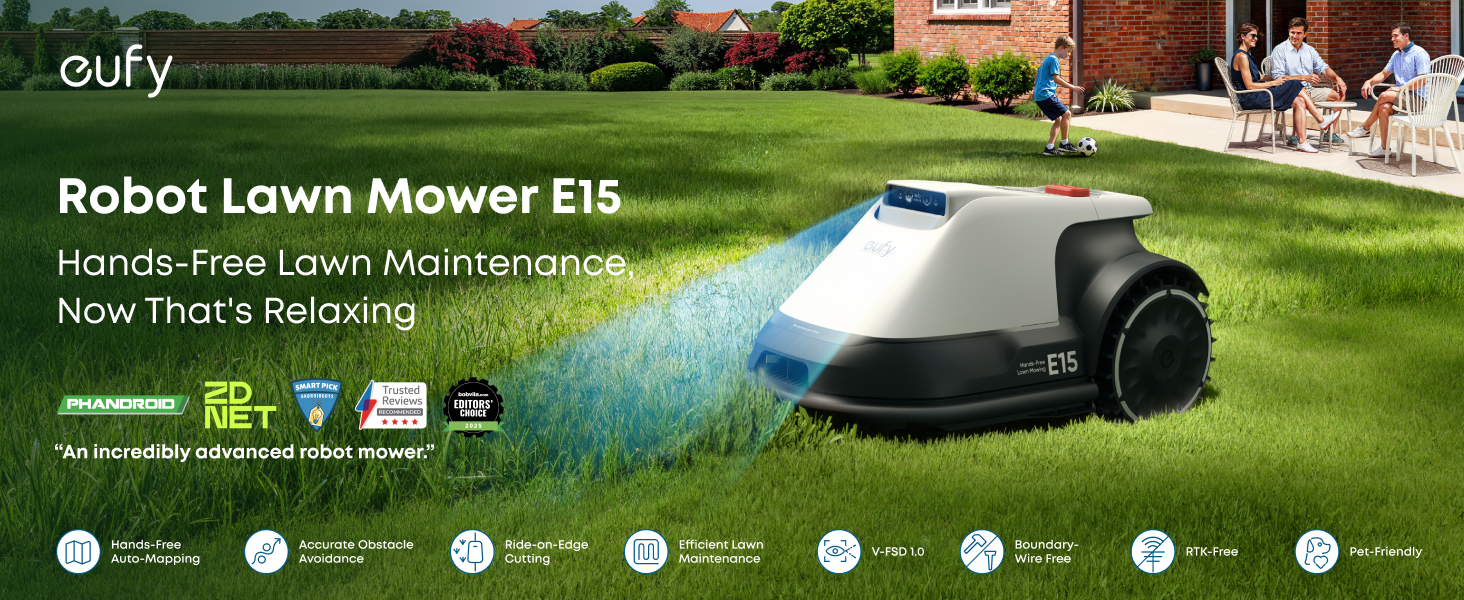
Wire-Free with a Stable Signal: Pure vision FSD technology with high-precision cameras and intelligent AI algorithms enable accurate mapping and obstacle avoidance via Wi-Fi or 4G with no need for boundary wires or an RTK station.
-
Hands-Free Auto-Mapping: With precise positioning and distance measurement, E15 accurately maps your garden and optimises its mowing path for maximum efficiency. Use the eufy app to keep track of everything and customise your lawn care. (Note: Subscribe to 4G data via the app for stable connectivity if your garden isn't fully covered by Wi-Fi.)
-
Accurate Obstacle Avoidance: Cutting-edge 3D perception system accurately detects obstacles, avoiding collisions in even the most complex of gardens.
-
Complete Coverage: Smart coverage detection system and Ride-on-Edge technology deliver an even cut and mowing that goes right to the edges of your garden.
-
Safety First: 4G-enabled GPS tracking means you always know where your mower is for greater peace of mind, while automatic recall during rainy or low-light conditions ensures E15 only mows when it's safe.
 eufy Robot Lawn Mower E15£1,499.00For lawns under 800 m²


- Fast, Free Shipping
- 30-Day Money-Back Guarantee
- Hassle-Free Warranty
- Lifetime Customer Support
Unboxing & Reviews


The automatic mapping and smart obstacle avoidance make lawn care effortless.

Smart route planning ensures complete lawn coverage and an even cut.

V-FSD 1.0 obstacle avoidance accurately detects and avoids obstacles.
The automatic mapping and smart obstacle avoidance make lawn care effortless.
Smart route planning ensures complete lawn coverage and an even cut.
V-FSD 1.0 obstacle avoidance accurately detects and avoids obstacles.
The automatic mapping and smart obstacle avoidance make lawn care effortless.
Smart route planning ensures complete lawn coverage and an even cut.
V-FSD 1.0 obstacle avoidance accurately detects and avoids obstacles.
Quick Intro
Learn More




FAQ
Prepare Your Lawn
1. Mowing Hours: From half an hour after sunrise to half an hour before sunset.
2. Grass Height: Keep grass under 9 cm (3.5 in).
3. Types of Grass: We don't recommend using this product to cut Zoysia or St. Augustine grass.
4. Slope Check: Ensure slopes are ≤18 degrees; set No-Go Zones for steeper areas.
5. Clear Obstacles: Remove stones and debris, and fill in any holes or uneven ground.
6. Wi-Fi Setup: Use a mobile hotspot for initial setup if Wi-Fi coverage is limited. After setup, enable 4G to ensure stable connectivity.
7. Set No-Go Zones: Mark areas where the mower could get stuck, like pipes or sprinkler heads, and areas not fully covered with grass. Allow low stepping stones.
Base Station Usage Guide
1. Placement: Ensure a straight path of at least 5 m in front of the base station.
2. Map Limit: Each base station supports one map. For more maps, contact eufy support to order additional base stations.
3. Installation: Secure the base station using nails for lawns or glue for hard surfaces.
4. Return Mower to Base: Press "Return" and then "OK".
Improving Edge Cutting Results
1. Safe Distance: Avoid edges with obstacles, ditches, or cliffs.
2. Optimize Edge Cutting: Adjust Danger Zone Detection settings for closer cutting. This may increase mower hazards.
3. Trimming Near Walls: Grass within 10 cm (4 in) of walls may require manual trimming.
4. Boundary Grass: Trim grass taller than 9 cm (3.5 in) before mowing.
Optimizing Mowing Performance
1. Grass-Cutting Zone: For full coverage, manually set the grass-cutting zone, especially for yellowed or patchy lawns or manhole covers.
2. Cutting Height: Gradually lower blade height for tall grass.
3. Multi-Zone Pathway: Set up a Multi-Zone Pathway if the distance between lawns is ≤60 m.
4. No-Go Zones: Mark areas where the mower could get stuck.
5. Boundary Setup: For unclear divisions with neighbors, use physical barriers or set virtual walls after mapping.
Battery Usage and Maintenance
1. Coverage per Charge: 150-270 ㎡ (depending on environmental factors).
2. Resume Mowing: Automatically resumes unfinished tasks after charging.
3. Base Station Placement: Keep the charging cable 30 cm (12 in) above ground to prevent water damage.
4. Software Updates: Regularly update firmware.
